Release notes
What's new in bloq 1.0.9 for Mac
5 SEPTEMBER 2026 · 4 MIN READ
bloq 1.0.9 for Mac lets you route each Chrome profile's audio to its own device. Work Chrome on the headset, personal Chrome on the speakers, at the same time. The release also adds a volume slider for every app, makes Safari routable, and moves Bloq Output's on/off switch into the menu bar.
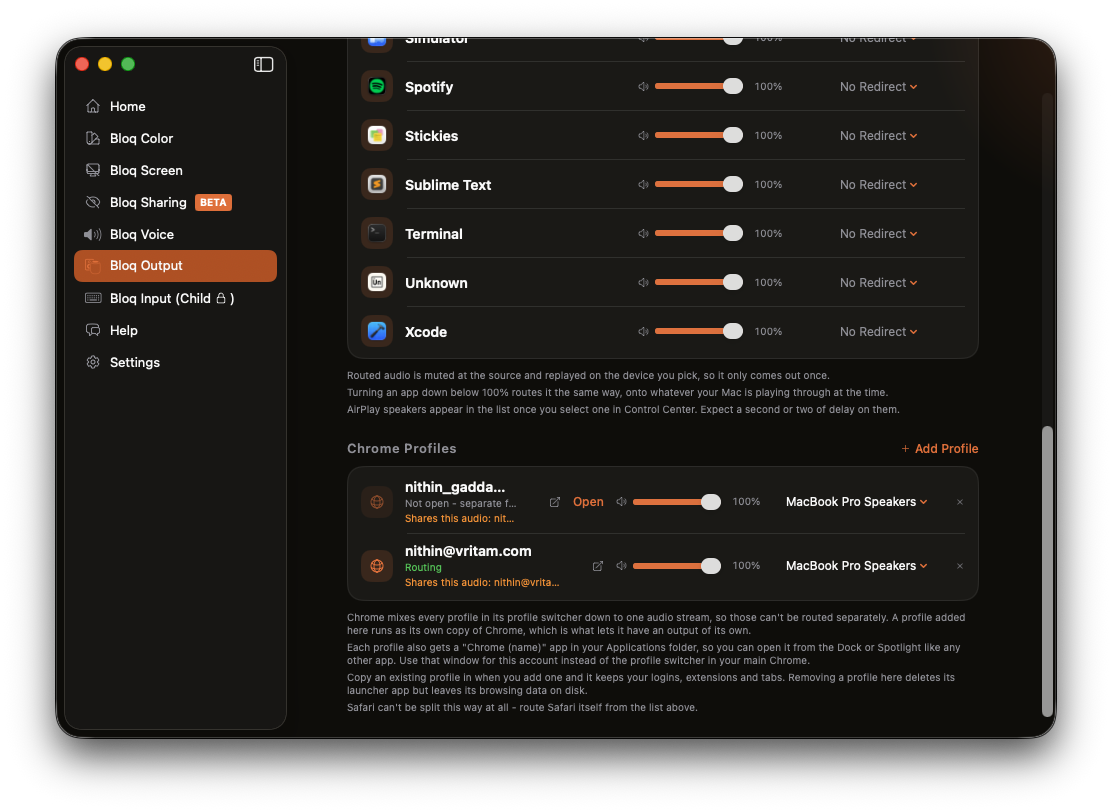
Chrome profiles, routed apart
Chrome mixes every profile in its profile switcher down to one audio stream. To macOS they are one app making one sound, so no routing tool can send your work account one way and your personal account another. That is a Chrome limitation, not a bloq one.
The new Chrome Profiles section works around it. A profile you add there runs as its own copy of Chrome, which is a browser process with an audio stream of its own, and that is something bloq can route. Each profile gets its own volume slider and its own output device, just like the apps above it.
The details are done properly:
- Keep your logins. When you add a profile you can copy an existing one in. The copy keeps your accounts, extensions and open tabs, takes effect instantly, and costs no extra disk space until the two diverge.
- Open it like an app. Every profile also gets a "Chrome (name)" launcher in your Applications folder, so the routed copy opens from the Dock or Spotlight like any other app.
- Removal is safe. Removing a profile deletes its launcher but leaves the browsing data on disk, so adding it back later picks up where it left off.
A volume for every app
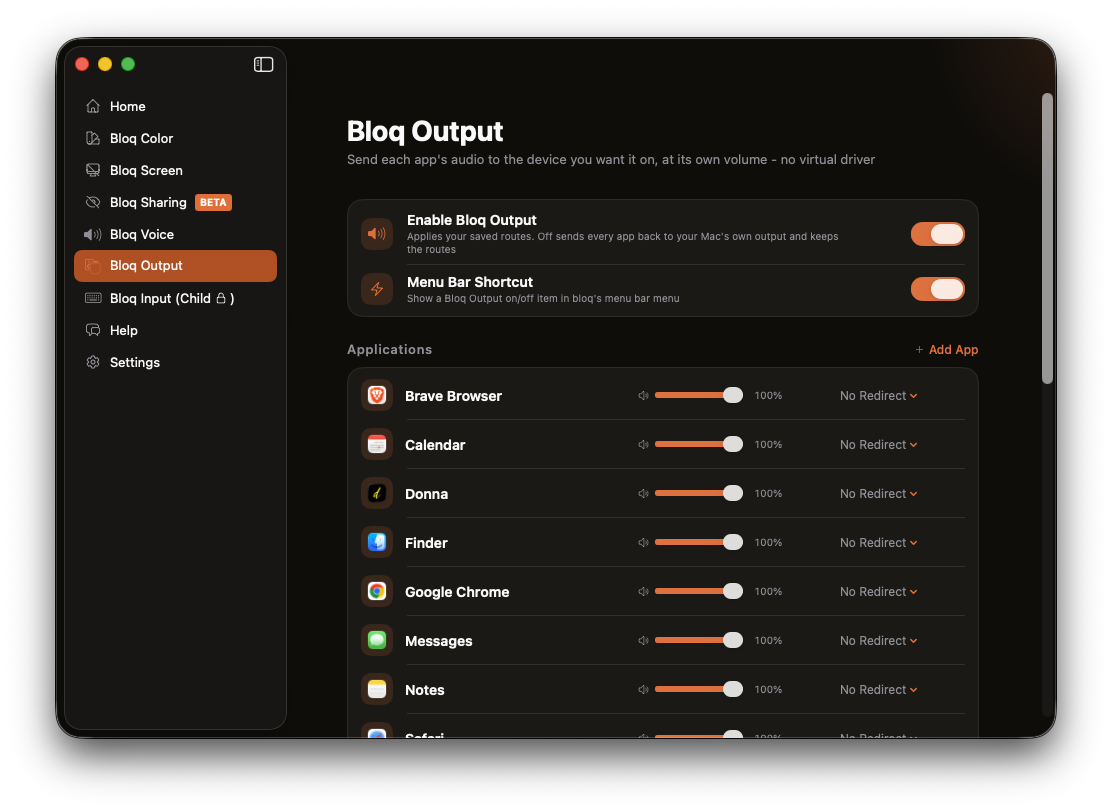
When Bloq Output shipped in 1.0.8 we called per-app volume the obvious next step. It is here: every app in the list, and every Chrome profile, now has its own volume slider. Turn a chatty app down to 40% without touching the system volume, or without touching your music.
Safari, now routable
Safari plays its audio through a WebKit helper process that does not admit to being Safari, which is why routing it has never worked, in bloq or anywhere else without a virtual driver. bloq now resolves those helpers to the app responsible for them, so Safari appears in the list and routes like everything else.
Routing that runs on its own
Routing no longer needs the Bloq Output tab open. The engine starts with the app and applies your saved routes the moment a routed app makes a sound, even if you never open the window. A new Enable Bloq Output switch turns the whole thing on and off in one place, and an optional menu bar item puts that switch one click away. Off sends every app back to your Mac's own output and keeps your routes for later.
Get bloq 1.0.9
Route every app, and every Chrome profile, to the device you want it on. And lock distracting apps and websites on your Mac and iPhone until the session ends.
How to update
If you already have bloq on your Mac you do not need to do anything: the app checks for updates on its own and will offer 1.0.9 the next time you open it. To check by hand, open bloq and choose Check for Updates from the menu. The download button above always points at the current release.
FAQ
Do I have to sign into my Chrome accounts again?
No. Choose your existing profile when adding one and bloq copies it, logins, extensions and tabs included. Quit Chrome first so the copy is taken cleanly. Your original profile is not touched.
Does each profile copy double my disk usage?
No. The copy is made with APFS cloning, which is instant and shares storage with the original. It only starts costing space as the two copies drift apart over time.
Can two Google accounts inside one profile be split?
No. Accounts signed in inside the same copy of Chrome share one audio stream, and bloq shows a note on the profile when that is the case. Give each account its own profile copy to route them separately.
Does routing keep working when I close the bloq window?
Yes. Since 1.0.9 the routing engine runs whenever bloq is running and attaches routes on its own. The window is only there for changing them.
Does any of this install an audio driver?
No. Like the rest of Bloq Output, everything uses the process-tap API built into macOS. No virtual device, no system extension, no reboot.